Overview
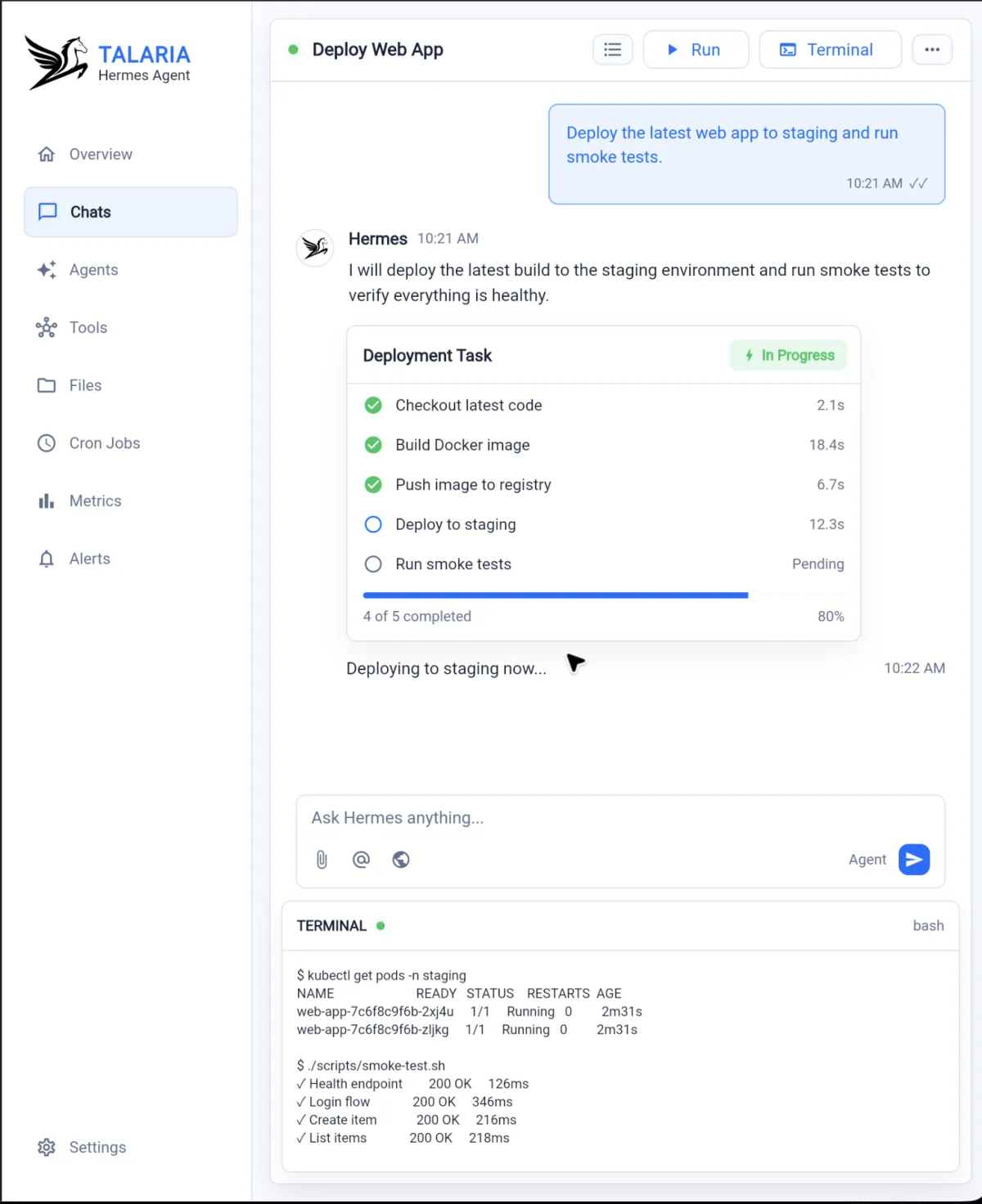
Talaria is a developer operations workspace centered around agent-driven workflows. The interface shown here focuses on Hermes, an agent that can coordinate a web-app deployment, show progress, expose terminal output and report the status of smoke tests.
Problem
Deployment work often happens across disconnected tools: chat, CI logs, terminal sessions, task trackers, monitoring dashboards and alerting systems. That makes it harder to see what is happening, what already completed and what needs attention.
Solution
Talaria brings the deployment conversation, task status and command output into one focused workspace. A user can ask Hermes to deploy the latest web app to staging, then follow each step as it progresses from checkout to smoke tests.
Role & Responsibilities
I worked on the product direction and frontend experience for the Talaria interface, shaping the agent chat layout, deployment task card, terminal surface and operational navigation.
Key Features
- Agent chat for deployment and operations requests
- Structured deployment task progress
- Terminal output alongside the agent conversation
- Navigation for agents, tools, files, cron jobs, metrics and alerts
- Staging deployment and smoke-test workflow visibility
- Status-focused UI for operational confidence
Outcome
Talaria presents DevOps work as a clear agent workflow rather than a scattered set of logs and dashboards, helping teams understand deployment progress without leaving the workspace.